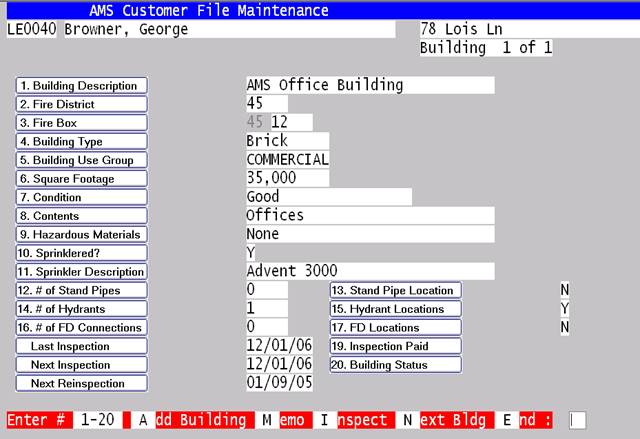
In addition to the Business data already available on the system such as Name, address, billing address, contact, phone numbers, etc. the fire data on businesses is as shown.
This screen shows building information for the property. Multiple Buildings may be kept for each property.
|
Option |
Description |
|
1-20 |
By entering the number corresponding to the field, or by clicking on the title of the field, you can change the contents of any of the above 20 fields. |
|
A-Add |
Will ask you if you want to add another building to this account. |
|
M-Memo |
Will let you keep an unlimited amount of open text on this building. |
|
I-Inspections |
Will move you to the Inspections screen and all of the options that it offers will be available from there. |
|
N-Next |
Will display the next building for this account. |
|
E-End |
Will end this building and return you to the customer screen. |