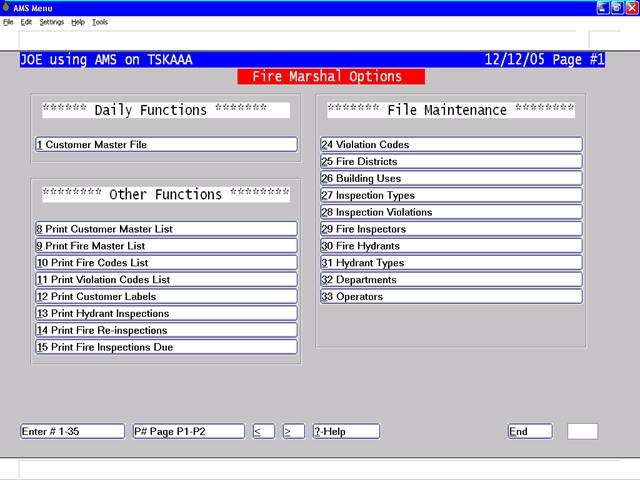
After entering your password you will be presented with your own customized menu which will look something like the following:
This is the main menu of the Fire Marshals System. From this screen all of the standard applications available in this module can be reached. Simply select a number (1-33) to execute the program that you wish to use.
The following pages of this menu contain other modules that may be accessible to you. These might be Invoicing, Code Enforcement, Complaint Tracking etc. See other AMS Documentation for information on these applications.
Pages 2 through 4 of this menu may be reached by entering a Carriage Return (CR) – TAB or ENTER to go to the next menu or entering P and then the page number that you want. Enter 'E' followed by a carriage return would return you to the system password. The help feature explains other functions that are available (?). Also refer to the Manual on Using the AMS system for more information on the operation of the menu.